
Introduction
Cloud based software tools have changed the way people work, learn, and run businesses. Instead of installing heavy programs on a single computer, users can now access powerful tools through the internet. This shift has made technology more flexible, affordable, and easy to use for beginners and professionals alike. Today, cloud software tools are used in offices, schools, startups, and even by individuals managing personal projects.
In simple terms, these tools allow you to store data, run applications, and collaborate with others online. You do not need expensive hardware or technical skills to get started. All you need is a device, an internet connection, and basic knowledge. Because of this simplicity, cloud based software tools are becoming popular across the world.
Another reason for their growth is remote work. Teams no longer need to sit in the same office to work together. Cloud platforms allow real-time sharing, editing, and communication. This saves time and improves productivity. Small businesses also benefit because they can use advanced tools without high upfront costs.
This article is written in simple English for beginners and intermediate readers. It explains what cloud based software tools are, why they matter, how to use them, and what mistakes to avoid. By the end, you will clearly understand how these tools work and how they can help you in daily tasks or professional work.
What is Cloud Based Software Tools?
Cloud based software tools are applications that run on remote servers instead of your local computer. These servers are managed by service providers and accessed through the internet. You do not need to install or maintain complex software on your device.
When you use cloud based software tools, your data is stored online. This means you can access your files from anywhere, at any time, using different devices. For example, you can start a project on your laptop and continue it later on your phone.
These tools include services for storage, communication, project management, design, accounting, and many other tasks. Updates and security are handled by the provider, which reduces the technical burden on users. This makes cloud based software tools ideal for people who want simple and reliable solutions.
Why is Cloud Based Software Tools Important?
Cloud based software tools are important because they make technology accessible and efficient. They remove the need for expensive infrastructure and reduce maintenance costs. This is especially helpful for small businesses and startups with limited budgets.
Another key reason is flexibility. Users can scale their usage up or down based on their needs. If your team grows, you can easily add more users. If your workload decreases, you can reduce your plan.
Security is also a major factor. Most providers invest heavily in data protection, backups, and monitoring. While no system is perfect, cloud platforms often offer better security than personal setups. Overall, cloud based software tools support modern work styles and help people stay productive.
Detailed Step-by-Step Guide
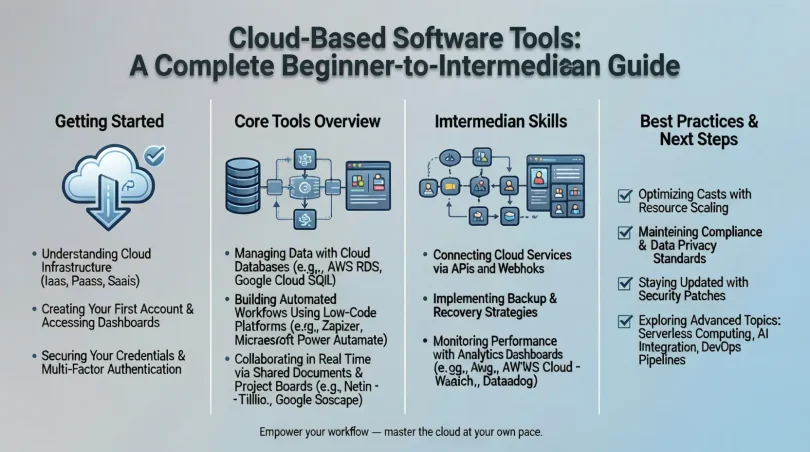
Step 1: Identify Your Needs
Start by understanding what you want to achieve. Do you need storage, collaboration, or task management? Knowing your goal helps you choose the right cloud based software tools.
Step 2: Choose the Right Category
Cloud tools come in different categories such as productivity, communication, finance, and design. Select the category that matches your needs to avoid confusion later.
Step 3: Compare Features
Look at features like storage size, user limits, and integrations. Compare free and paid plans to see what fits your budget. Reading feature lists helps you make informed decisions.
Step 4: Create an Account
Most cloud based software tools require a simple sign-up process. Use a strong password and verify your email to secure your account.
Step 5: Learn the Basics
Spend time exploring the dashboard and settings. Many tools offer tutorials or guides to help new users understand basic functions.
Step 6: Start Using the Tool
Begin with small tasks to build confidence. Upload files, create projects, or invite team members. Practice makes the tool easier to use over time.
Step 7: Monitor and Optimize
Regularly review how the tool supports your work. Adjust settings, upgrade plans, or switch tools if needed to improve efficiency.
Benefits of Cloud Based Software Tools
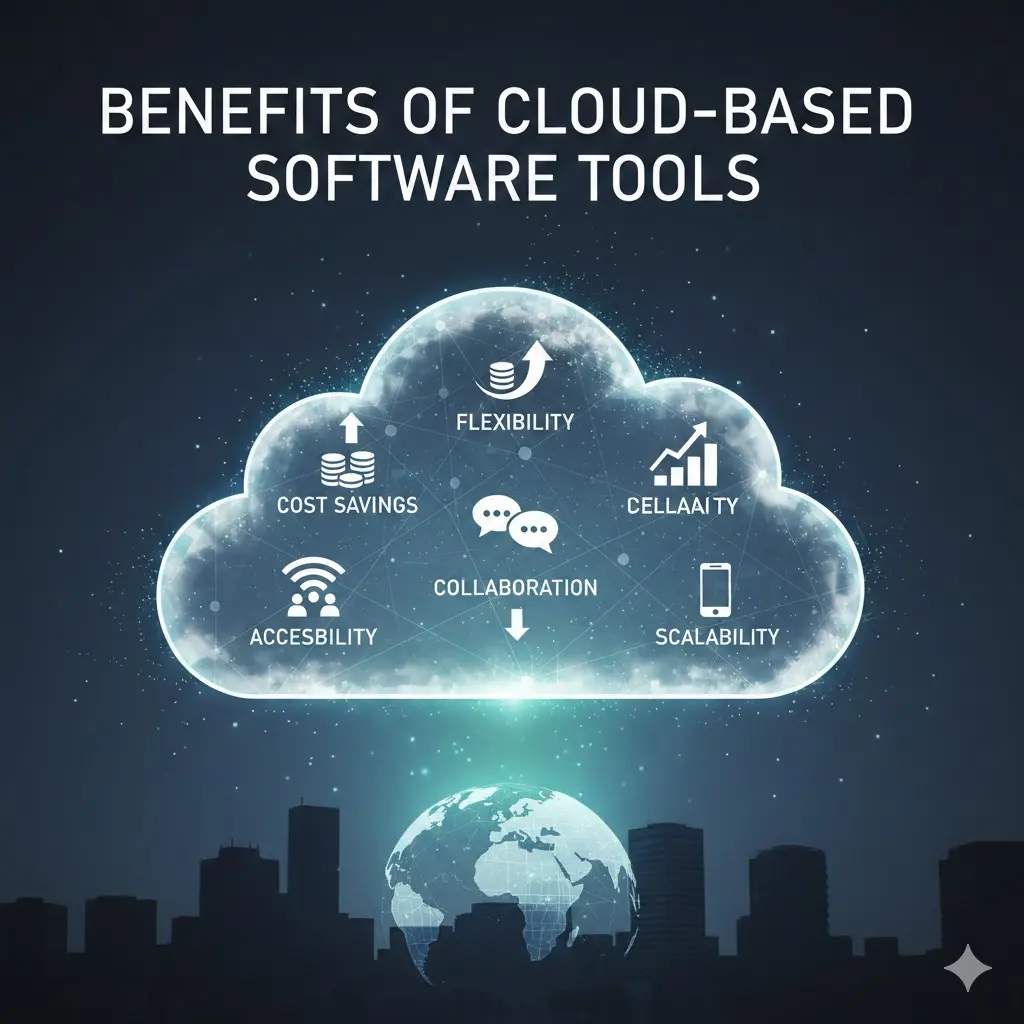
- Easy access from anywhere with internet
- Lower upfront costs and flexible pricing
- Automatic updates and maintenance
- Improved collaboration and teamwork
- Scalable solutions for growing needs
- Better data backup and recovery options
Disadvantages / Risks
- Dependence on internet connectivity
- Potential data privacy concerns
- Limited control over server locations
- Ongoing subscription costs
- Possible downtime from service providers
Common Mistakes to Avoid
Many users jump into cloud based software tools without planning. This often leads to choosing tools that do not fit their needs. Always define your goals first.
Another mistake is ignoring security settings. Even though providers offer protection, users must enable strong passwords and access controls. Skipping training is also common. Learning basic features saves time in the long run.
Finally, relying on too many tools can create confusion. It is better to use a few well-chosen cloud based software tools instead of many overlapping ones.
FAQs
What are cloud based software tools used for?
They are used for tasks like file storage, collaboration, project management, communication, and business operations.
Do I need technical skills to use them?
No, most cloud based software tools are designed for easy use and require only basic computer knowledge.
Are cloud tools safe for data storage?
They are generally safe, especially when users follow security best practices like strong passwords and access controls.
Can small businesses benefit from cloud tools?
Yes, they help reduce costs, improve efficiency, and support growth without heavy investment.
Do cloud tools work on mobile devices?
Most cloud based software tools offer mobile-friendly versions or apps for easy access.
What happens if the service stops?
Data access may be temporarily unavailable. Choosing reliable providers and backups reduces this risk.
Expert Tips & Bonus Points
Choose tools that integrate well with each other. This creates a smooth workflow and saves time. Always review usage reports to understand how your team uses the tool.
Keep data organized with clear naming rules and folders. Regularly update permissions to ensure only authorized users have access. These habits improve security and efficiency when using cloud based software tools.
Conclusion
Cloud based software tools have become an essential part of modern digital life. They offer flexibility, affordability, and ease of use for individuals and businesses. By moving software and data online, users can work from anywhere and collaborate in real time. This shift supports remote work and fast-growing teams.
However, success with cloud tools depends on smart choices. Understanding your needs, learning basic features, and following security practices are key steps. While there are some risks, the benefits often outweigh them when tools are used correctly.
For beginners and intermediate users, cloud based software tools provide a practical way to improve productivity without technical stress. As technology continues to evolve, these tools will play an even bigger role in daily work and business growth.